
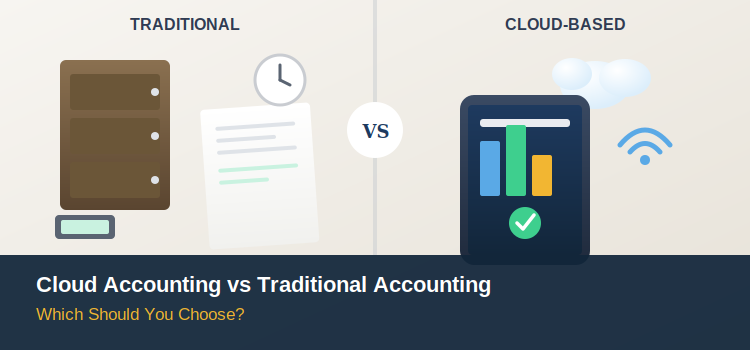
Cloud accounting software runs entirely online, updates automatically, and lets you and your bookkeeper access the same live data from anywhere. Traditional (desktop) accounting software runs locally on one computer or server, requires manual updates and backups, and typically only one person can work in the file at a time. For the large majority of small businesses in 2026, cloud accounting is the right choice and the decision has become more urgent than a simple preference, since Intuit has begun formally discontinuing older QuickBooks Desktop versions, with security updates, payroll, and bank feeds cutting off entirely. Traditional software still has a narrow, legitimate case for certain specialized, high-complexity operations, but for most businesses, it’s no longer the safe default it once was.
What’s Actually Different Between the Two
| Cloud Accounting | Traditional (Desktop) Accounting | |
|---|---|---|
| Where data lives | Provider’s secure remote servers | Your local computer or on-premise server |
| Access | Any device, anywhere, with internet | Single computer, or local network only |
| Updates | Automatic, continuous | Manual installs, often annual releases |
| Collaboration | Multiple users work in real time simultaneously | Typically one user at a time; file-sharing workarounds needed for more |
| Backups | Automatic, provider-managed | Manual, your responsibility |
| Security | Provider-managed encryption, MFA, redundancy | Whatever you set up yourself |
| Cost structure | Monthly/annual subscription | Often a larger upfront license, sometimes plus annual renewal |
| Bank feeds & integrations | Native, real-time | Limited, sometimes disconnected entirely once unsupported |
| Accountant collaboration | Real-time, remote | Requires sending files back and forth or shared local access |
Why Cloud Accounting Has Become the Default in 2026
Real-Time Access, From Anywhere
The core value proposition hasn’t changed, but it’s become table stakes rather than a nice-to-have: you, your bookkeeper, and your accountant can all view the same live numbers simultaneously, from different locations, without emailing files back and forth or waiting for someone to finish working in a shared desktop file.
Automatic Backups and Redundancy
Cloud platforms handle backups and disaster recovery as part of the service. With traditional software, backing up your company file is entirely your responsibility and if a local computer fails without a recent backup, that data can be gone.
Stronger, Actively-Maintained Security
This is where the gap has widened most in 2026. Cloud providers apply continuous security patches, encryption, and multi-factor authentication as an ongoing part of the service. Desktop software security is frozen at whatever version you’re running and once a version reaches its official end-of-support date, no further security patches are issued at all, leaving any known vulnerabilities permanently unpatched.
Automation That Reduces Manual Work
AI-assisted receipt processing, auto-categorization, and reconciliation matching have moved from novelty to standard feature across cloud platforms cutting into the roughly 30% of a finance team’s time historically spent on manual data entry. A December 2025 survey of finance leaders found 88% expect AI to be the most transformative accounting technology over the next one to two years, though only 8% said their teams felt well prepared for it underscoring that the shift is already well underway, whether or not individual businesses have caught up yet.
Scalability Without a Software Overhaul
Cloud platforms generally scale by upgrading a subscription tier, not by migrating to entirely new infrastructure. Traditional software scaling often means new licenses, new installations across every machine, and IT overhead that grows right alongside the business.
The 2026 Wake-Up Call – QuickBooks Desktop’s Discontinuation
If you’re still weighing cloud versus traditional accounting, there’s a concrete, time-sensitive reason this decision matters right now. Intuit has been actively winding down QuickBooks Desktop:
- QuickBooks Desktop 2023 lost all support including payroll processing, bank feeds, live technical support, and security updates after May 31, 2026
- QuickBooks Desktop 2024 is the last annual Desktop version that will ever be released, with support running through September 30, 2027
- No QuickBooks Desktop 2025, 2026, or later versions will exist
- QuickBooks Desktop Enterprise remains the only Desktop edition Intuit still sells to new customers but its pricing rose roughly 10% in early 2026
For businesses still running an unsupported Desktop version, the practical risks are immediate: payroll tax tables freeze and stop calculating correctly (a direct compliance exposure), bank feeds disconnect and require manual entry, payment processing stops working, and critically no further security patches are issued, leaving financial data on software that won’t be protected against new vulnerabilities. Your existing data and company file aren’t deleted, and the software will still open, but the connected services that make it genuinely usable for day-to-day operations shut off.
This isn’t a hypothetical trend it’s Intuit’s stated direction, explicitly citing cloud platforms’ better flexibility, stronger built-in security, easier updates, and improved accountant collaboration as the reasoning behind the shift.
Where Traditional (Desktop) Software Still Has a Case
Cloud accounting is the right call for most small businesses, but a narrow set of situations still favor staying on a desktop-based system, at least for now:
- Highly specialized inventory or job-costing needs that only mature desktop products (like QuickBooks Desktop Enterprise) currently support at the depth some manufacturing or contracting businesses require
- No reliable internet connectivity at the primary place of business increasingly rare, but not zero
- Regulatory or contractual requirements mandating on-premise data storage in certain industries or jurisdictions
- Sunk investment in deeply customized desktop workflows where migration complexity genuinely outweighs near-term benefits though this is a shrinking, temporary case given Intuit’s own discontinuation timeline
For nearly every other small business, these exceptions don’t apply, and the practical, security, and collaboration case for cloud accounting is now decisive rather than a close call.
Migration: What to Expect If You’re Switching
If you’re moving from a desktop system (most commonly QuickBooks Desktop) to a cloud platform, plan for:
- 2–3 weeks for a proper migration — the actual data transfer takes hours, but pre-migration cleanup, validation, and reconnecting bank feeds account for most of the timeline
- A limited import window — QuickBooks, for example, generally allows 60 days after creating a new online account to import Desktop data; missing that window can mean starting the migration from scratch
- Some data limitations for very large files, occasionally requiring manual workarounds for historical detail
- A period of parallel familiarity — budget time for your team (and your bookkeeper, if you have one) to adjust to a new interface, even if the underlying accounting principles don’t change
A phased migration data cleanup first, then team training, then a full cutover consistently produces a smoother transition than an abrupt switch attempted during a busy season.
Getting the Transition Right
Choosing cloud accounting is usually the easy part of this decision the harder part is migrating cleanly, without losing historical data, breaking reconciliations, or disrupting payroll and bank feeds mid-transition. This is exactly the kind of transition where Accounting Solutions adds real value beyond picking software: handling the data cleanup before migration, managing the cutover itself, reconnecting bank feeds and payroll correctly, and making sure your chart of accounts and historical reports survive the move intact. If you’re still on an unsupported version of QuickBooks Desktop or another legacy system, that’s not a decision to leave until a security or compliance issue forces the timeline Accounting Solutions can assess exactly where your current setup stands, plan a migration that fits your business’s schedule rather than an emergency one, and keep your books running cleanly on the other side. Software makes the switch possible; the right accounting partner is what makes it painless.
Leave A Comment